
Watch everything.
One subscription.
Stream premium live TV, sports, movies and series instantly — without contracts, hidden fees, or complicated setup.
0K+
Channels
0K+
Movies
0%
Uptime
Works on Smart TV, Android, iOS, Windows and more.

Live TV

Sports & PPV
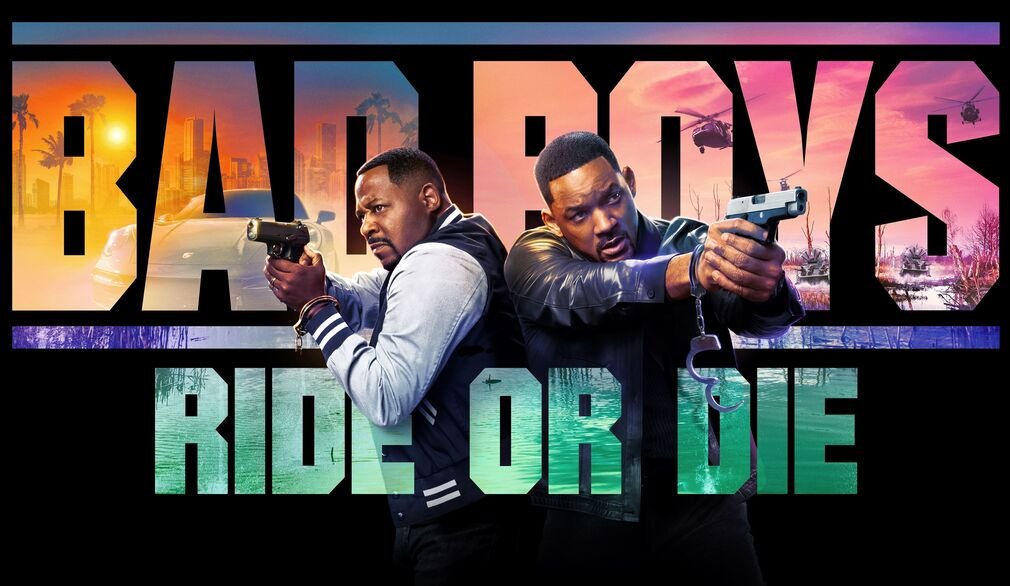
Movies

Series
Live Events
Blockbusters
Premium content from leading platforms

7+ Years Experience
Reliable IPTV service since 2018
37K+ Customers
Happy client references worldwide
24/7 Support
Instant technical assistance anytime
Secure Payment
SSL-protected transactions
Choose Your IPTV Plan
All plans include live TV, movies, series, sports and support.
Test before choosing a plan
Try channels, movies, sports and device compatibility first.
STEP 1
Choose devices
1
Device
2
Devices
3
Devices
4
Devices
STEP 2
Choose duration
1 Month
$24.99
$24.99 / month
Instant activation
3 Months
$24.99
$8.33 / month
+7 Days Free
6 Months
$39.99
$6.67 / month
+15 Days Free
12 Months
$59.99
$5.00 / month
+30 Days Free
Selected: 1 Device · 12 Months
Bonus: +30 Days Free
$59.99
All Plans Include
4K Ultra HD Streaming
50,000+ Live Channels
120,000+ Movies & TV Shows
Premium PPV Events
Instant VOD Access
Smart EPG & Catch-Up TV
24/7 WhatsApp Support
Multi-Device Compatibility
Instant activation after confirmation.
NIPTV in Numbers
50K+
Live TV Channels
120K+
Movies
100K+
TV Shows
99.9%
Uptime
Why Choose Us?
Best in Europe
With years of experience and our professional team, we offer Europe's highest quality IPTV service.
Instant Updates
Access the newest movies, series and shows with instantly updated content.
Premium Quality
Enjoy smooth 4K and Full HD streaming with original picture and sound quality.
24/7 Support
Get fast technical help anytime through WhatsApp and live support.
Our Content
50,000+ Channels
Thousands of live TV channels from around the world. Sports, news, documentaries, movies, and more.
Movies & Series
Instant access to the latest movies and series. Thousands of titles await you in our library.
Sports Channels
All sports channels and exclusive match broadcasts. Includes BeIN Sports and more.
Supported Devices
Android
iOS
Smart TV
Windows
MacOS
Android TV
Loved by IPTV Users
4.8 / 5
Real customer feedback from NIPTV users
Never missed a Premier League match
“Three months in and every match streams smooth, even the 3pm kickoffs my old provider always choked on. Zapping between games takes a second.”
Michael R.
United Kingdom
Home-country channels finally work
“I watch the CCTV and provincial channels from my hometown every evening on my LG TV. Setup took ten minutes with the guide on the downloads section.”
Wei Z.
Singapore
Cancelled my $89 cable bill
“Between the sports packages and the movie library, I have more to watch than before, for the price of one month of cable. The PPV events are included.”
David K.
United States
Works perfectly on my Fire Stick
“Installed with the Downloader code from the downloads page, sent my Device ID on WhatsApp and was watching within fifteen minutes. No buffering in the evenings.”
Emre T.
Germany
Support actually answers
“I had a question about switching to a 2-device plan. Answer on WhatsApp in two minutes, plan upgraded the same day. Refreshing after my last provider.”
Fatima A.
France
The free trial sold me
“Tested the 24-hour trial on my Samsung TV first — full quality, all channels. Paid for the 12-month plan right after and it has been rock solid.”
John P.
Canada
FAQ
Find what you want to know about NIPTV.live
How do I install NIPTV on my device?
NIPTV runs on the IBO Player Pro app. Open the Downloads section on this page, pick your device and follow the step-by-step guide — it covers Samsung, LG, Android TV, Fire TV, Apple TV, Roku, Windows and more.
How does the 24-hour free trial work?
Message us on WhatsApp and ask for a trial. We activate a full test account on your device within minutes — same channels, same quality, no payment and no card details required. If you like it, you can order a plan afterwards.
How fast is activation after I pay?
Most orders are activated within minutes. You send us your Device ID from the app, we load your subscription, and you start watching. Support is on WhatsApp around the clock.
Which devices are supported?
Samsung and LG Smart TVs, Sony Google TV, Android TV boxes, Amazon Fire TV, Apple TV, iPhone and iPad, Roku, and Windows PCs. You can mix devices — your subscription works on any supported device.
How many devices can I watch on at the same time?
Plans start at 1 connection and go up to 4 or more. Each connection streams on one device at a time. Pick the connection count that matches your household at checkout.
What internet speed do I need?
We recommend at least 25 Mbps for smooth 4K streaming and 10 Mbps for HD. A wired connection or strong Wi-Fi near your TV gives the most stable experience.
What is your refund policy?
Start with the free trial — it is the best protection. If a paid service turns out unusable on your device and our support cannot fix it within 48 hours, you can request a refund within 7 days. Full details are on our Refund Policy page in the footer.
Do you offer reseller panels?
Yes. Message us on WhatsApp and ask about the reseller panel — you get your own panel, wholesale pricing and the ability to manage your own customers.
Download & Install
NIPTV runs on the IBO Player Pro app — pick your device, install in minutes, and we will activate it for you.
Samsung Smart TV
Tizen · 2016+ models
Press the Home (Smart Hub) button on your Samsung remote.
Go to Apps and open the Search icon at the top right.
Search for "IBO Player Pro" and install the app.
Open the app and note your Device ID, then send it to us on WhatsApp below.
LG Smart TV
webOS · NetCast
Press the Home button on your LG remote.
Open the LG Content Store.
Search for "IBO Player Pro" and press Install.
Open the app and note your Device ID, then send it to us on WhatsApp below.
Android TV & Boxes
Nvidia Shield · Xiaomi · MAG Box
Open the Google Play Store on your Android TV or TV box.
Search for "IBO Player Pro" and install the app.
Open the app after installation completes.
Open the app and note your Device ID, then send it to us on WhatsApp below.
Amazon Fire TV
Fire Stick · Fire Cube
From the Fire TV home screen, search for and install the "Downloader" app.
Open Downloader and enter the code: 481220
Follow the prompts to install IBO Player Pro.
Open the app and note your Device ID, then send it to us on WhatsApp below.
Apple TV / iOS
tvOS · iPhone · iPad
Open the App Store on your Apple TV, iPhone or iPad.
Search for "IBO Player Pro" and install the app.
Open the app once installation finishes.
Open the app and note your Device ID, then send it to us on WhatsApp below.
Roku
Roku Stick · Roku TV
Press Home on your Roku remote and open Search.
Type "IBO Player Pro" and select the channel.
Press Add Channel and wait for it to install.
Open the app and note your Device ID, then send it to us on WhatsApp below.
Windows PC
Windows 10 / 11
Open the Microsoft Store on your PC.
Search for "IBO Player Pro" and click Get.
Open the app once installation finishes.
Open the app and note your Device ID, then send it to us on WhatsApp below.
Sony Google TV
Bravia · Google TV
Press the Home button on your Sony remote.
Open the Google Play Store.
Search for "IBO Player Pro" and install the app.
Open the app and note your Device ID, then send it to us on WhatsApp below.
App installed? Send us your Device ID.
Message us on WhatsApp with your Device ID and chosen plan — your subscription is usually activated within minutes.
Try NIPTV Free for 24 Hours
Full access, real channels, real quality — decide with your own eyes before paying anything.
Install the player app
Get IBO Player Pro for your device — pick it from the Downloads section below.
Send us your Device ID
Open the app, copy your Device ID and message us on WhatsApp. It takes a minute.
Watch free for 24 hours
We activate a full test account — same channels, same quality, no card details needed.
Secure and Flexible Payment Options
All payments are processed through 100% secure infrastructure. Instant activation guaranteed.
 Visa
Visa MasterCard
 PayPal
 Bitcoin
Premium IPTV service with 50,000+ live channels and 120,000+ movies & series, available worldwide on almost any device.
Quick Links
Home
Packages
FAQ
Downloads
© 2026 NIPTV.live All Rights Reserved.